App Design
Revaleo - Recovery App for Injury Rehabilitation
Helping users stay consistent and positive during physical recovery.
Project Type
Short case study
Duration
1 week
Collaborator
Sarah Kellner
My Role
UX/UI Designer
Main Tools
Figma, Excalidraw, Canva
Project Type
Short case study
Duration
1 week
Collaborator
Sarah Kellner
My Role
UX/UI Designer
Main Tools
Figma, Excalidraw, Canva
Project Type
Short case study
Duration
1 week
Collaborator
Sarah Kellner
My Role
UX/UI Designer
Main Tools
Figma, Excalidraw, Canva
The Challenge
Many people struggle to stay consistent with rehabilitation after injuries. Our challenge was to design an app that helps users stay motivated, track progress and manage daily recovery routines without feeling overwhelmed.
The Challenge
Many people struggle to stay consistent with rehabilitation after injuries. Our challenge was to design an app that helps users stay motivated, track progress and manage daily recovery routines without feeling overwhelmed.
Understanding the user
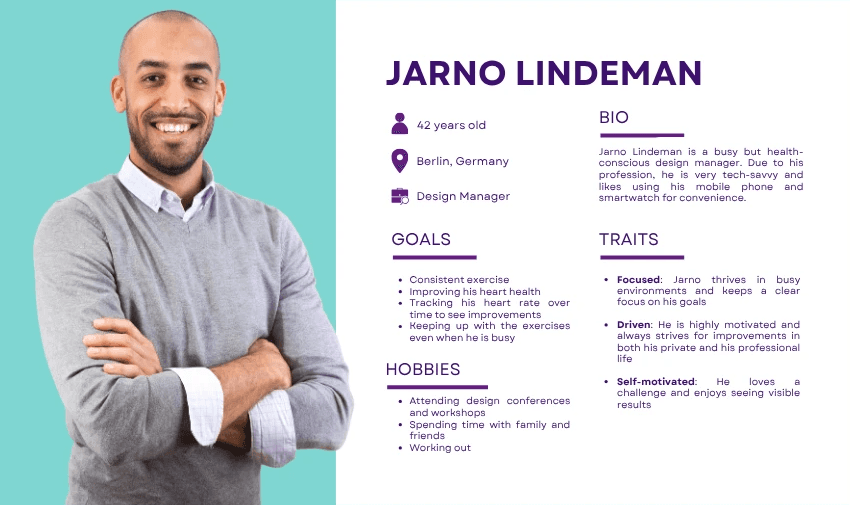
User persona: Jarno Lindeman, 42, Design Manager, Berlin
Needs: Stay active despite busy schedule, track heart health
Pain points: Forgetting workouts, fragmented fitness data
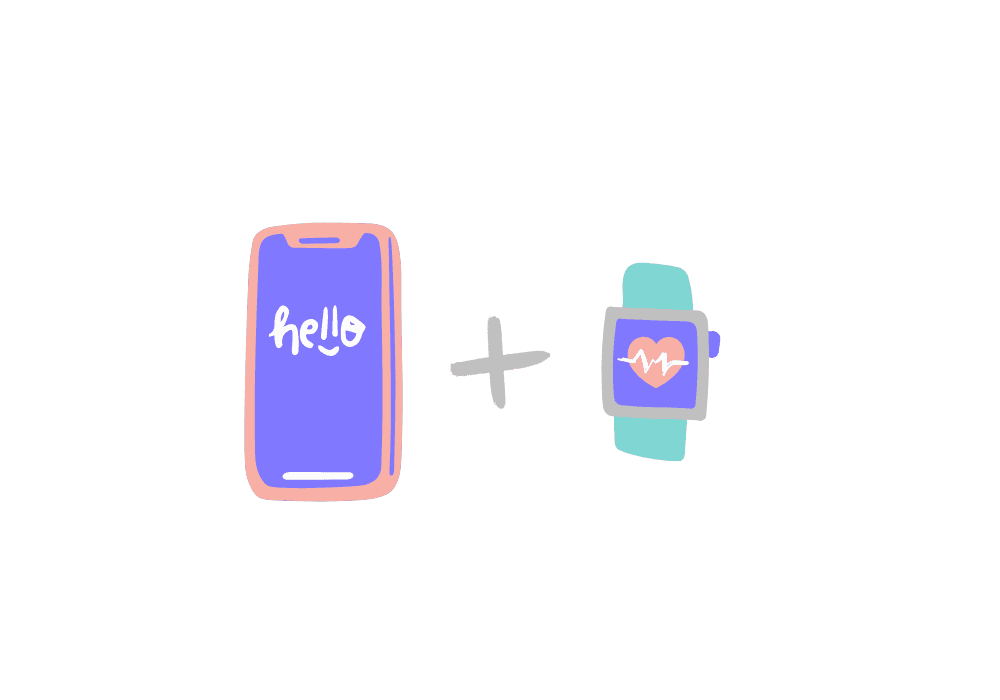
Goal: Consistent, easy-to-access tracking via phone + watch
Scenario: Jarno uses MoveIt to complete short workouts at home or while traveling, seamlessly tracking progress between devices.
Process highlights
Research & Ideation
Research & Ideation
Research & Ideation
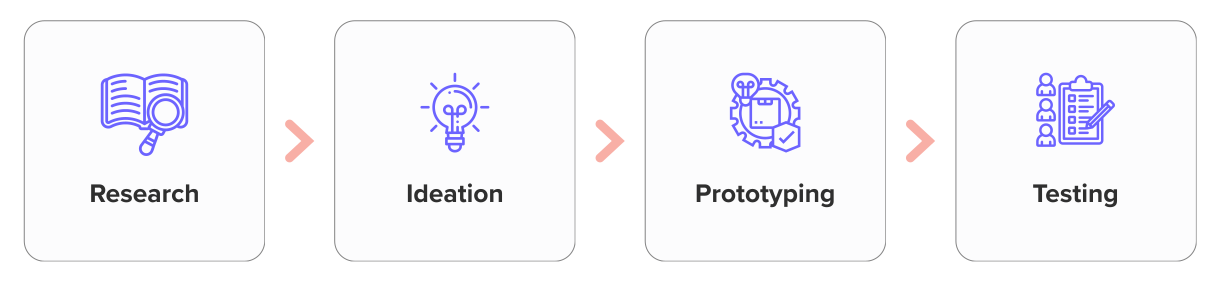
We explored users' fitness motivations and smartwatch habits through literature analysis.
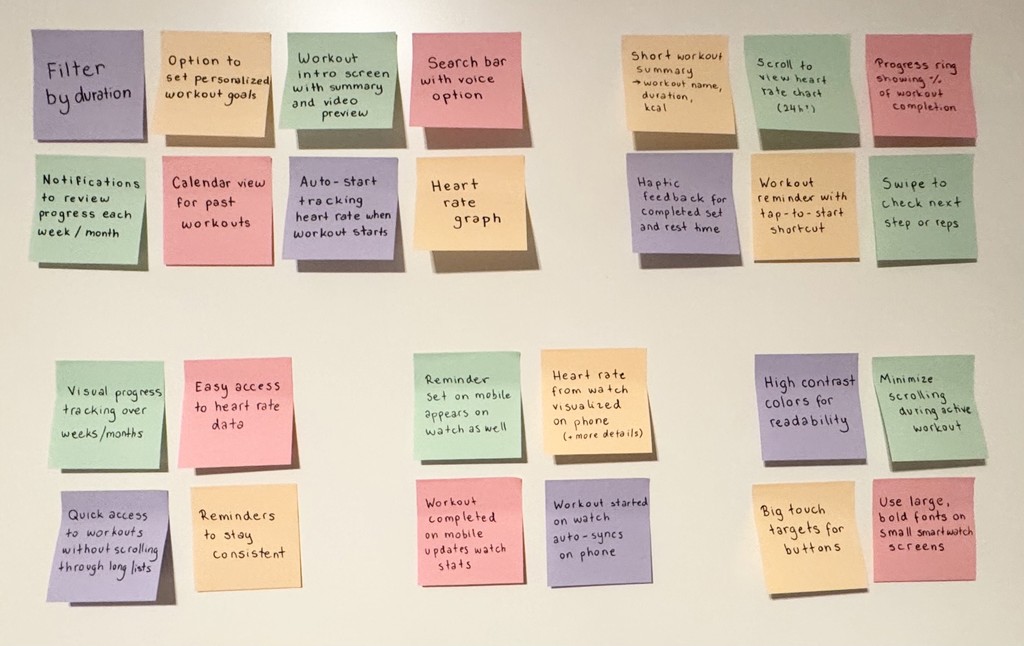
During the ideation phase, we created a mood board and brainstormed ideas using Miro and sticky notes.
After considering all the ideas, we used NUF technique (New, Useful and Feasible) to select the most promising solution.
Sketching
Sketching
Sketching
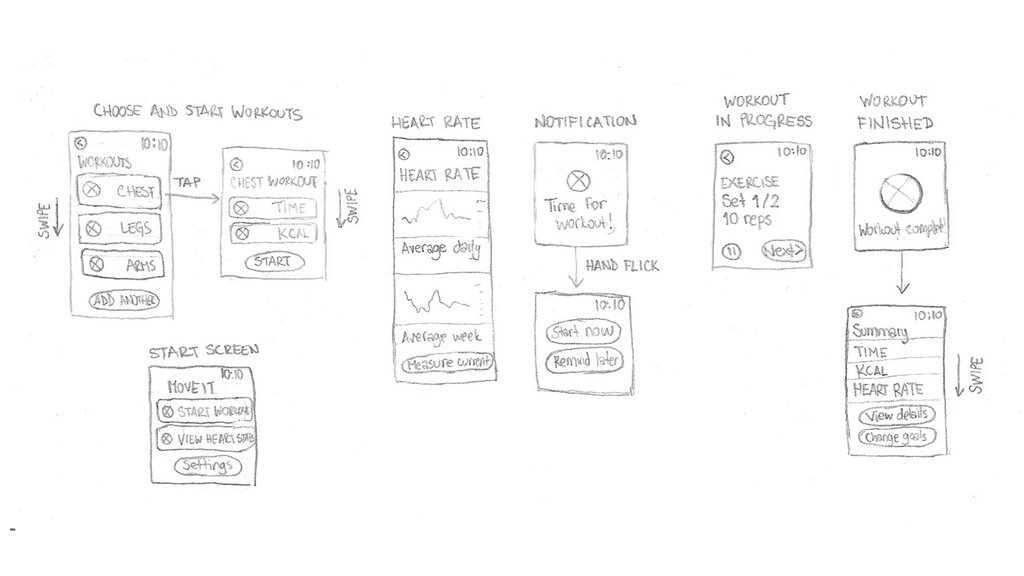
After creating user flow diagrams, we began sketching smartwatch screens, in order to define key elements on a small screen first. Then, we expanded the design onto mobile screens.
Prototyping
Prototyping
Prototyping
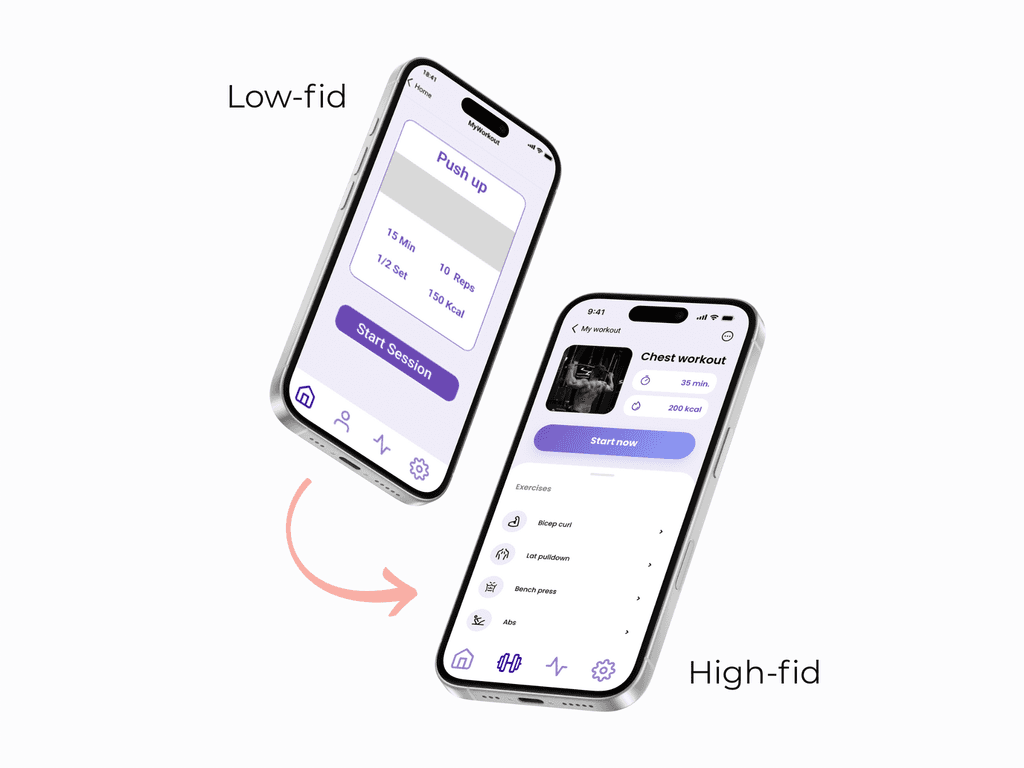
Low-fidelity prototypes helped us structure workouts and stats logically.
Through iterations in Figma, we developed a clean, accessible high-fidelity design for both platforms.
We prioritized accessibility and clarity, ensuring WCAG-compliant color pairings and large touch targets.
The solution
The solution
The final MoveIt design creates a connected experience between mobile and smartwatch platforms. It combines an energetic, minimalist UI with clear navigation an smooth interactions.
On the smartwatch, users can start workouts quickly, track heart rate in real time and get subtle reminders to stay active.
The mobile app is meant to provide deeper insights - showing progress, workout stats and trends over time.
Both versions share a consistent visual style and prioritize accessibility, with high contrast and easy-to-tap controls, making MoveIt app simple and motivating to use every day.
Results and Impact
The new website was launched successfully and delivered immediate, measurable results. Within the first few weeks, we observed a significant increase in user engagement, with visitors spending more time exploring property listings and interacting with the advanced search features. In addition, lead generation improved markedly, as evidenced by a noticeable increase in inquiries and sign-ups—demonstrating the site’s robust ability to drive conversions.
Results and Impact
The new website was launched successfully and delivered immediate, measurable results. Within the first few weeks, we observed a significant increase in user engagement, with visitors spending more time exploring property listings and interacting with the advanced search features. In addition, lead generation improved markedly, as evidenced by a noticeable increase in inquiries and sign-ups—demonstrating the site’s robust ability to drive conversions.
Areas for improvement
If I continued working on this project, I would:
Conduct more real user testing with smartwatch users
Refine the design based on feedbacks
Improve prototype fidelity and motion to better simulate real interactions (like transitions, haptic feedback, gestures)
Explore more personalized workout recommendations and clearer data visuals
Test synchronization between devices
Overall, this project strengthened my ability to think critically about multi-platform UX, simplify complex ideas and present a clear, user-centered design process.
Areas for improvement
If I continued working on this project, I would:
Conduct more real user testing with smartwatch users
Refine the design based on feedbacks
Improve prototype fidelity and motion to better simulate real interactions (like transitions, haptic feedback, gestures)
Explore more personalized workout recommendations and clearer data visuals
Test synchronization between devices
Overall, this project strengthened my ability to think critically about multi-platform UX, simplify complex ideas and present a clear, user-centered design process.